
Profile or Page?
It is necessary to differentiate between the Facebook profile and the fan page:
- The Facebook profile is a personal space where you share photos, statuses with your close entourage. The profile represents a person and must be created under their own name. On a profile, the number of friends is limited to 5000 . A profile cannot be created in the name of your company.
- The fan page or professional page is a space for companies, organizations, brands, artists, etc., who wish to share information with customers, prospects, fans... This page will offer you tools to communicate directly with your customers . or prospects (addition of a customizable tab, page traffic statistics, possibility of advertising, addition of commercial offers, etc.). The number of fans on this type of page is unlimited.
The steps for creating your professional Facebook page
1. Log in to your personal Facebook profile. If you don't have a Facebook profile, create one before you can create your pro page.
2. Once connected to your personal profile, select the drop-down menu on the right then click on “create a page”
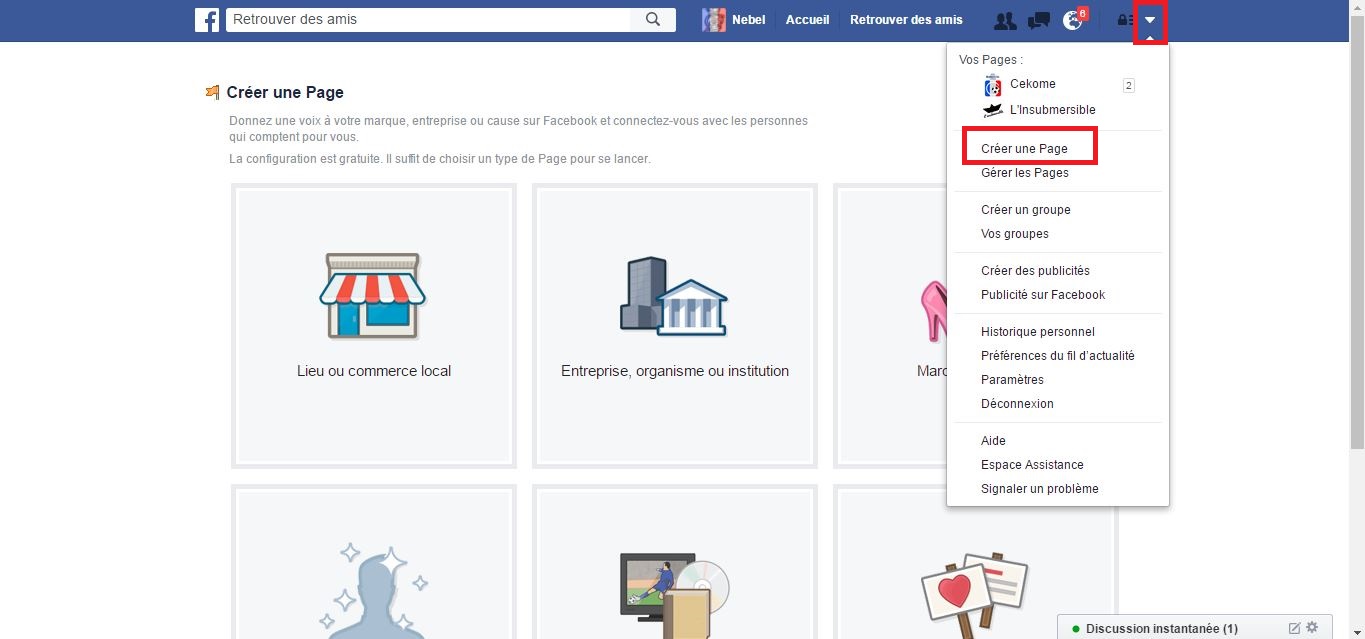
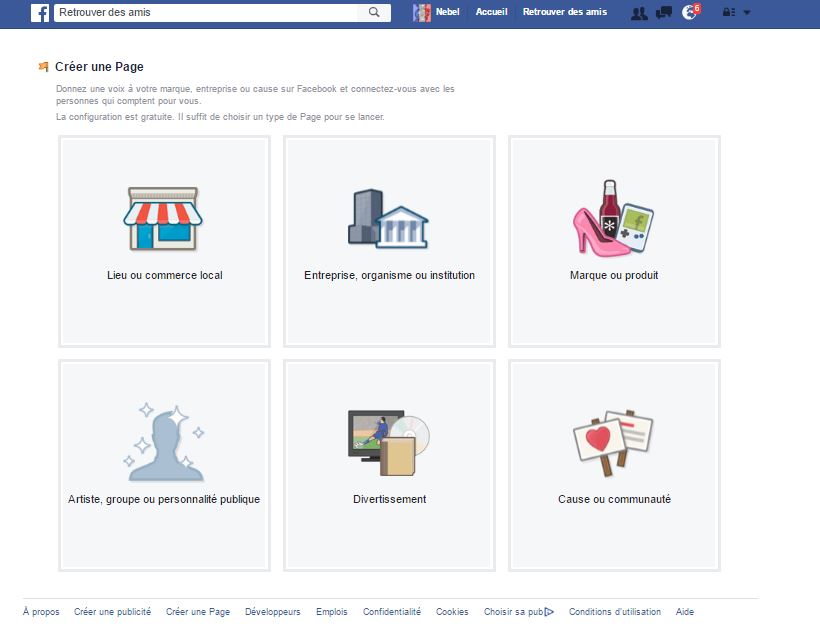
3. Select the category that best corresponds to your activity, then fill in the various fields. Choose the name of your page carefully because it is the name that will appear for all your publications. Namely that you will be able to change the name of your Page later and that as long as you have not exceeded 200 Fans .
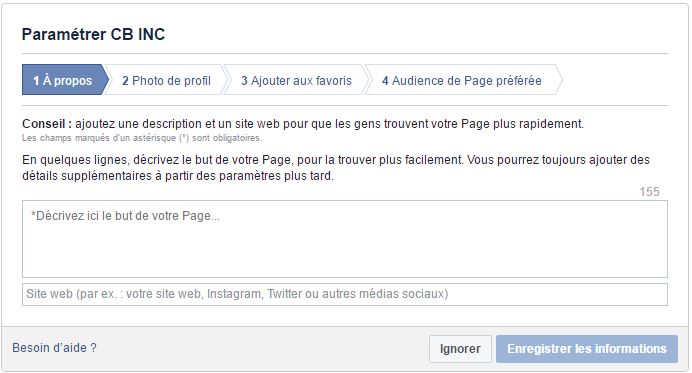
4. Set up your page by following the steps provided by Facebook.
- About: describe your activity and fill in the address of your showcase site or your e-commerce site. Give particular importance to the description it will be one of the presentation elements visible directly on your page apart from your profile picture. Be clear and punchy !
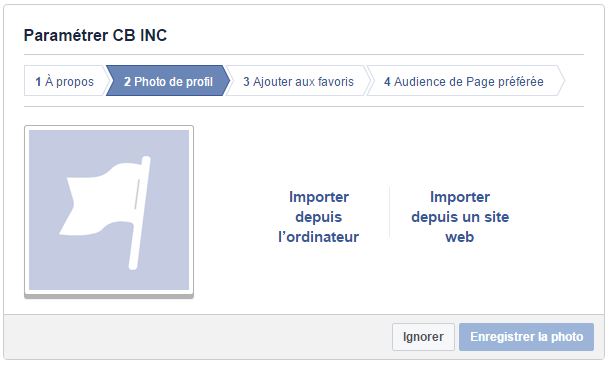
- Profile photo: Select a photo or logo that best represents your business. This photo should preferably be 180 x 180 pixels. It will then appear on your various posts ,
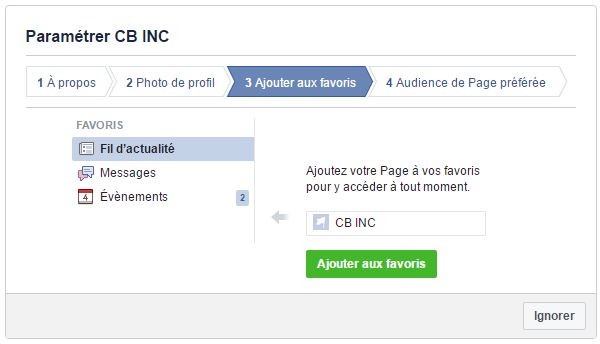
- Add to favorites: by adding your page to your favorites you will be able to access it more easily later,
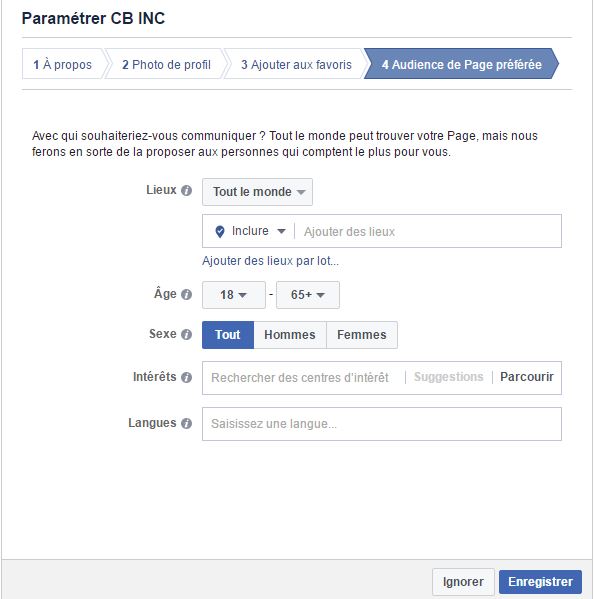
- Preferred Page Audience: Set your priority target .
Personalize your page
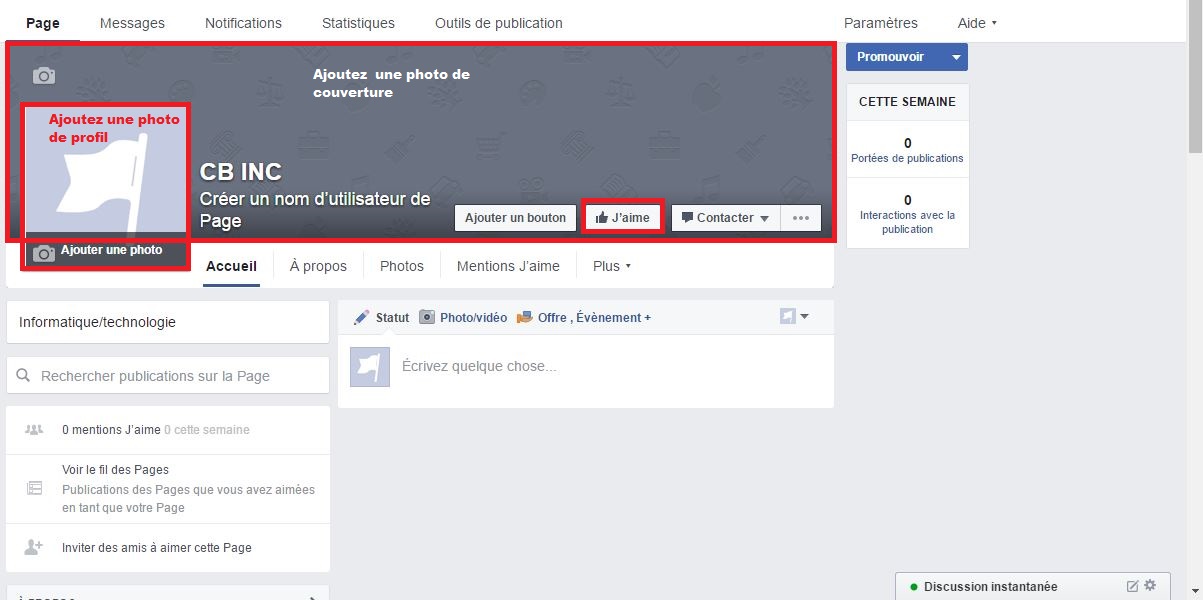
After validating the above steps you land on your page that you need to customize:
- Add a cover photo: the format is 851 x 315 pixels
- Fill in the missing information in the "About" tab
- Likes: invite your friends to like your page
- What's new ? : create your first publication
Administration right
As the creator of the page, you are automatically named "Manager".
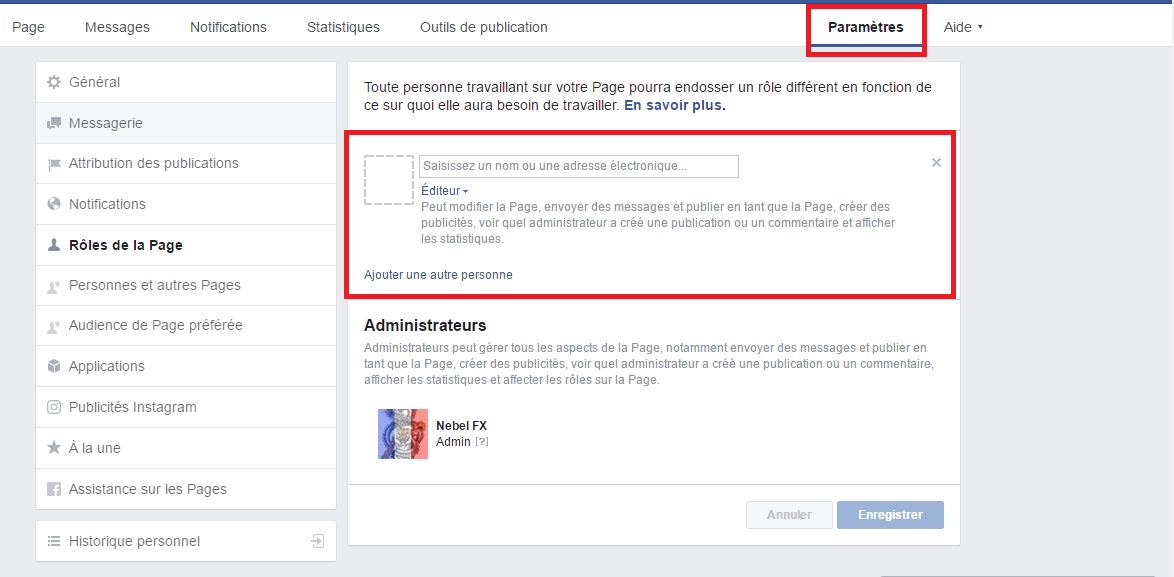
If you work together on the Page, take the opportunity to name the different administrators.
Click on “Settings” then on “Page Roles”. The roles given can be:
- Manager: manage administration roles, send messages, create posts and advertisements, as well as view statistics
- Content Creator: edit the Page, send messages, create posts and advertisements, as well as view statistics
- Moderator: reply or delete comments, send messages, create advertisements, as well as view statistics
- Advertiser: Create ads and see statistics
- Stats Analyst: View Stats
Publication
To publish articles, click on “Publishing tools” then “Create”
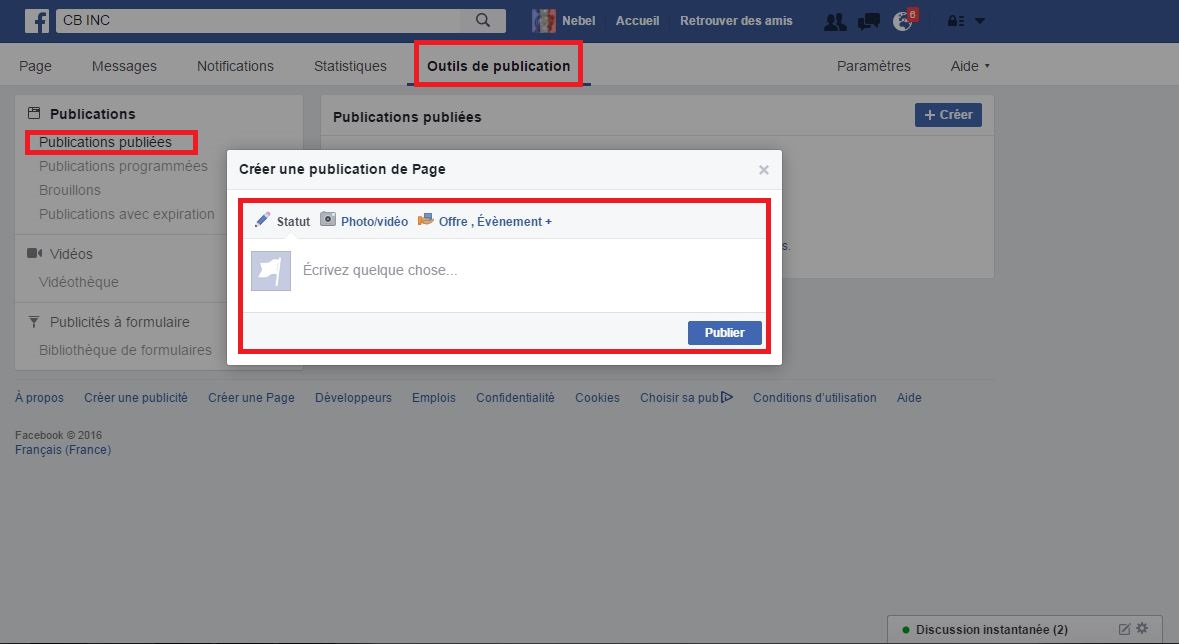
Here are a few tips :
- The content must be mainly entertaining, informative about your products and services, to announce your promotions,…
- You must publish at best between 1 and 5 publications per week, and this on a regular basis. Beyond that, you run the risk that your Fans will start to get tired.
Your page is now operational and you have just published your first news!
Comments
Post a Comment